Product Description
After a long run, a full day of travel, or hours around the office at work, you feet hold onto tension that hardly get the attention they deserve. You can ice your knees and stretch your calves, but the foundation of your foot rarely get direct treatment that can make a big difference.
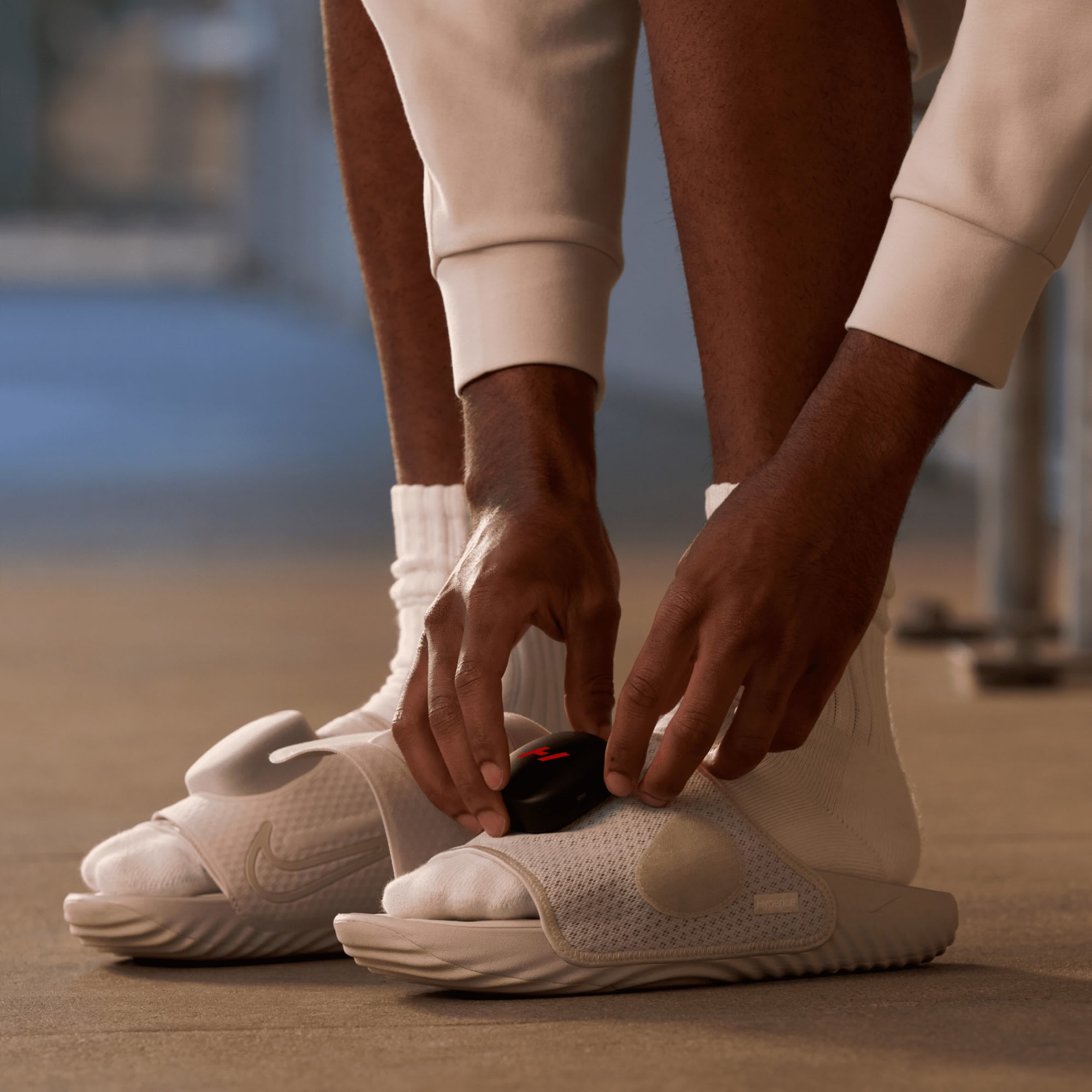
The Nike Air Zoom Hyperslide is built to give you targeted recovery right where it counts. These slides provide heat and vibration therapy across your foot every time you slip them on, delivering three heat settings and three vibration intensities through a Hyperice recovery pod paired with a Nike Air Zoom sole.
Targeted Relief Right Where You Need It – Most recovery sandals only address the sole, but the Hyperslide's pod sits directly over the top of your foot and ankle, reaching the tendons that tighten up after long runs or hours on hard floors.
Recovery You Control On the Fly – Buttons on the pod let you cycle through three heat settings and three vibration intensities without opening an app, so you can dial in exactly how much warmth and massage you want.
Comfortable Enough to Wear All Day – The slide uses a low-profile Nike Air Zoom sole, so you're not stuck sitting still while you recover. Wear it around the house or on travel days without it looking like medical equipment.
The heat and vibration come from a Hyperice pod that connects magnetically to the top of the slide, so you can pop it on or off in seconds. Heat runs from a light warm-up temperature up through a deeper therapeutic range, and the vibration motor cycles through three frequencies, from a slow pulse to a faster massage setting. Run everything through the buttons on the pod or switch to the Hyperice app over Bluetooth to save your preferred combination.
How to Use the Nike Air Zoom Hyperslide
Everyday Recovery: Run the pod on its lowest heat and vibration settings for 10 to 15 minutes after any run, ride, or workout.
Travel Days: Wear the Hyperslide through the airport or on long car rides and bump up to the highest heat setting, since stiffness builds up fastest when you're sitting still for hours.
Pre-Training Warm-Up: Run the pod on a lower heat setting with the faster vibration frequency for a few minutes before your run.
Charge the pod fully before first use, and let it cool between back-to-back sessions on the highest setting.
For gear that arrives damaged or falls under the manufacturer's warranty: Please send a photo of the damage or error message to hello@thefeed.com. We will either help process a claim for the product and a replacement product or store credit will be provided, or we will direct you towards the correct place to make a warranty claim for the product. For returns on gear that you have used, we follow the manufacturer's instructions for satisfaction guarantees. This is specific to each gear product, terms and conditions may change.


Hyperice x Nike Air Zoom Hyperslide FAQ's
Everything you need to know before getting started.


Right after training, a race, a flight, or a long day on your feet. You don't need to elevate or rest — just slide them on and let the pod do the work.
The pod runs in 15-minute cycles. Most athletes do one cycle a day, or two on heavier training or travel days.
Use the buttons built into the pod, or connect over Bluetooth to the Hyperice App for full control from your phone, including monitoring battery life.
No. The pod has on-device controls for heat and vibration. The app just adds more precise control and session tracking if you want it.
Enough for one full recovery cycle on a charge, with a full recharge taking about 3 hours over USB-C.
Remove the pod first, then wipe the slides down with a soft, damp cloth and let them air dry. Skip the washing machine and harsh cleaners.
No. They're IP54 rated, which protects against dust and light splashes, but they're not built for submersion or the shower with the pod attached.